The 'Scratch Chance!' audio that plays during payments has been drawing attention, following the 'Chō PayPay Matsuri' (Super PayPay Festival) which kicked off on November 20th. Social media has been flooded with reports of the sound suddenly blaring in quiet environments, such as on trains or during lectures.
One user reported that while using PayPay on a train, they managed to muffle the usual payment sound by covering the speaker with their finger, but then 'let my guard down, and 'Scratch Chance' blared at full volume.' Another user also reported hearing the scratch audio immediately after the 'PayPay' sound during a lecture.
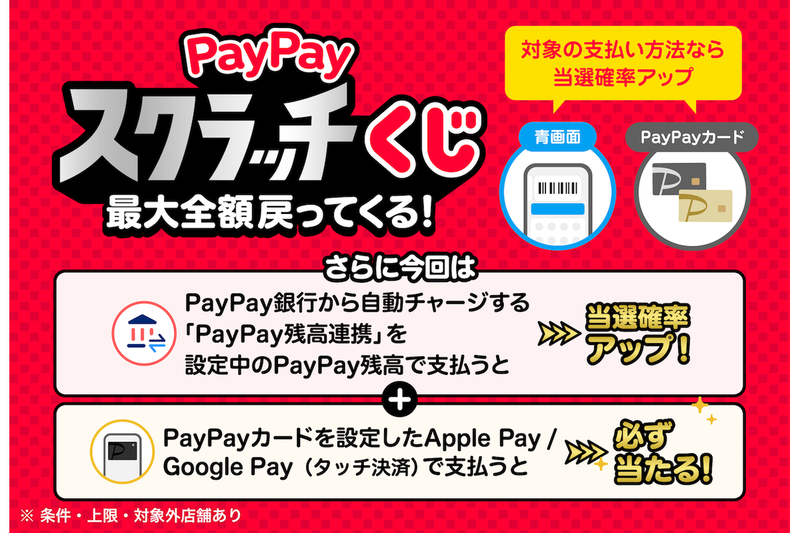
The audio's true identity is the 'PayPay Scratch Lottery,' running until December 27th. Users who have completed identity verification can participate in a drawing by spending ¥200 (tax included) or more using PayPay at eligible stores. If they win, up to 100% of their payment amount will be returned as PayPay Points.
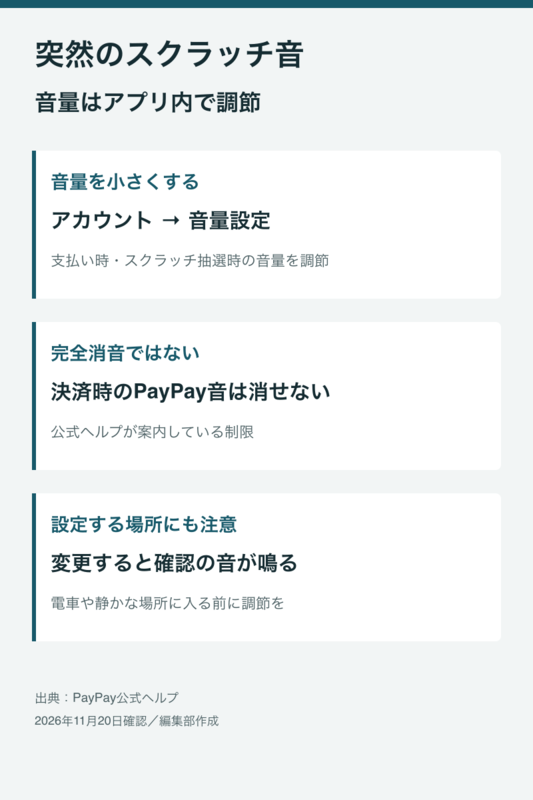
Incidentally, PayPay's payment sound volume can be adjusted within the app. By navigating to 'Account' and then 'Volume Settings' in the app, users can modify the volume for both payments and scratch lottery drawings.
However, when adjusting the volume, a confirmation audio stating 'Volume setting in progress... PayPay!' will play. Therefore, it's advisable to lower the volume in advance rather than attempting to adjust it in a quiet environment.
Made with AI