![The Definitive Guide: Top 5 Recommended High-End Keyboards for Work [October 2026 Edition]](https://ascii.jp/img/2026/10/21/4541216/x/6489d1fdc8c747f1.jpg)
Among PC peripherals used for an overwhelmingly long time each day, mice and keyboards stand out. Keyboards are especially crucial when considering work! To boost work efficiency and quality, an investment of around 20,000 to 30,000 yen feels almost negligible.
Therefore, this time, we've selected "high-end keyboards for work," focusing on those who spend a lot of time typing. Along with key selection points, we'll introduce the top 5 products chosen by our editorial team! Please use this as a reference when making your purchase!
Key Points for Choosing a High-End Keyboard for Work (1): [Typing Feel] Light and Responsive vs. Satisfying Feedback
Typing feel is entirely a matter of personal preference! However, the reason for using a high-end keyboard often comes down to two main camps: "a light, finger-friendly touch that reduces fatigue" or "a satisfying, enjoyable typing experience." The products chosen will differ significantly based on this.
A prime example of the former is the Topre "REALFORCE" series, known for its "feather-touch" and utilizing electrostatic capacitive non-contact switches. The latter category includes various mechanical keyboards.
Products in the former category might feel "too light" to unfamiliar users, but their perception often changes dramatically once they get used to them.
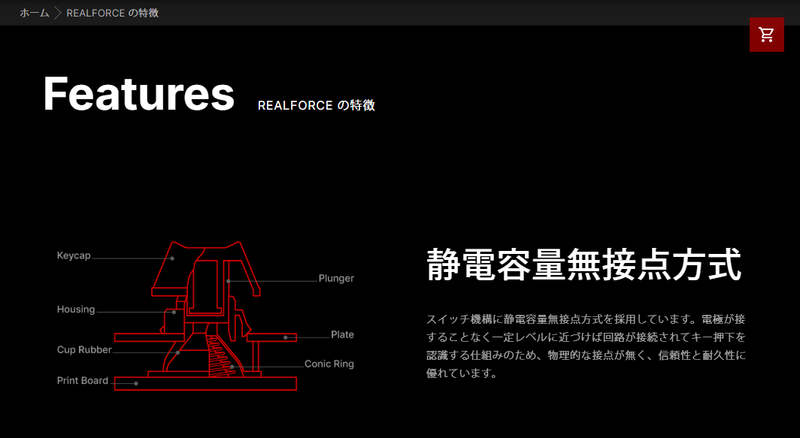
Electrostatic capacitive non-contact switches offer superior durability and typing comfort due to the absence of physical contacts.
On the other hand, while mechanical keyboards can offer excellent typing feel even at relatively lower prices, the typing experience varies greatly depending on the type of "switch" and "mount." It's a deeply intricate world, often referred to as a "swamp." However, regarding typing sound, if you plan to use it in a shared space with family or colleagues, you might need to choose a quieter option.
Key Points for Choosing a High-End Keyboard for Work (2): [Size] Prioritizing Portability or Not
For those who frequently work outside fixed locations like their own room or office, there's a demand to carry their favorite keyboard (some people also can't leave personal items at the office). The issue here is weight. Carrying a keyboard weighing over 1kg in addition to a laptop can be cumbersome.
Regarding keyboard size, in addition to options with or without a numeric keypad, there are also compact types that reduce the cursor key section and function keys. This largely depends on personal preference.
Key Points for Choosing a High-End Keyboard for Work (3): [Wired or Wireless] Wireless is Convenient for Many Reasons
Connection method is also a key consideration. If you're using it stationary at home or the office, wired is fine, but if you need to connect to multiple PCs or frequently change your desk layout, wireless compatibility offers many conveniences.
While Bluetooth is now the mainstream wireless standard, some keyboards also support dedicated USB dongles. Dongle-type devices are convenient in their own way, as you can quickly use them with other machines by simply swapping the dongle.
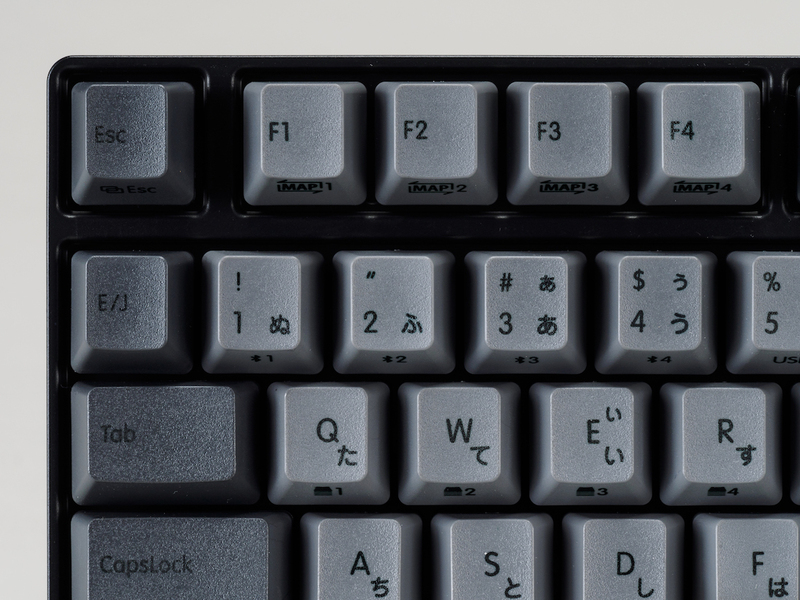
Bluetooth-enabled keyboards allow simultaneous pairing with multiple PCs and easy switching via key operations.
On the next page, we'll introduce the five high-end keyboards for work recommended by our editorial team!
【High-End Keyboard for Work #1】Topre "REALFORCE R4" - REALFORCE's Flagship Model, Its Substantial Weight is Actually a Plus
The Topre "REALFORCE" series, which has adopted highly-regarded electrostatic capacitive non-contact switches since the debut of its first model in 2001, continues to receive high praise for its durability, honed in business applications like bank ATMs, and its light, comfortable typing feel.
Among them, the "R4" is the flagship model released last October. It's slimmer vertically than its predecessor, improving desk space efficiency. However, its hefty body, weighing over 1kg, remains unchanged, and this weight contributes to a stable typing experience.
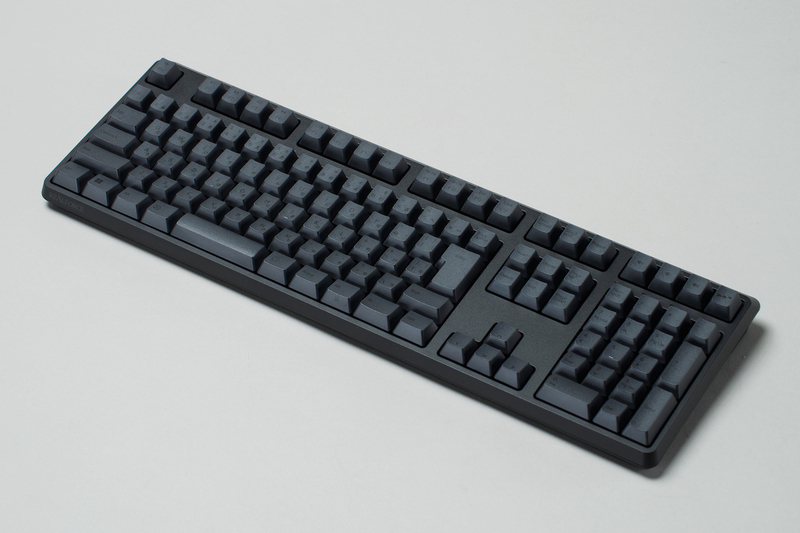
The latest REALFORCE model, "REALFORCE R4." The photo shows a model with a numeric keypad, but a tenkeyless model is also available.
It supports both Bluetooth and wired USB Type-C connections. Bluetooth allows pairing with up to 4 devices. A welcome feature is its power source: 3 AAA batteries. While it's designed to automatically enter sleep mode after a certain period, simply bringing your hand close to the keyboard instantly restores the connection.
In addition to Japanese/English layouts, there are numerous models with/without numeric keypads and various colors. The key weight (actuation force) comes in three types: "30g," "45g," and "variable." The 30g option might be "too light" for beginners, so it's better suited for experienced users. Variable weight makes keys operated by the pinky lighter and easier to use, but since the "WASD" keys have different weights, it's not ideal for gamers.
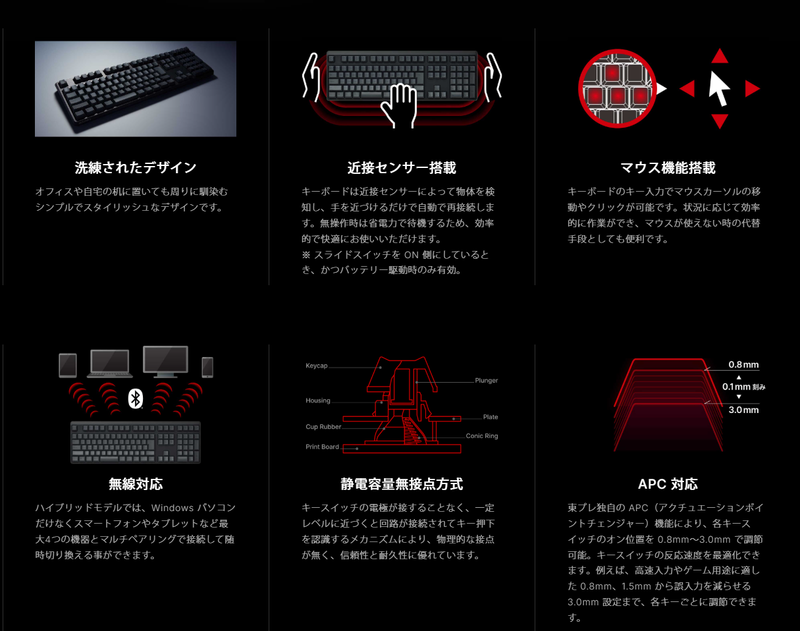
List of main features. APC (Actuation Point Changer) allows setting the key input recognition depth, a familiar feature in the REALFORCE series.
The new "R4" model has arrived for "REALFORCE." While maintaining its comfortable typing feel, it has evolved in usability with a slightly smaller size and wireless support.

REALFORCE R4 キーボード ハイブリッド フル 45g 日本語配列 ブラック R4HA11
【High-End Keyboard for Work #2】PFU "HHKB Studio" - HHKB Goes Mechanical, Equipped with a Stick So You Don't Need to Lift Your Hands
The PFU "Happy Hacking Keyboard" (HHKB) series, developed for programmers, long utilized electrostatic capacitive non-contact switches. However, the HHKB Studio adopts uniquely developed mechanical switches, gaining popularity for its smooth, straightforward press and satisfying feedback.
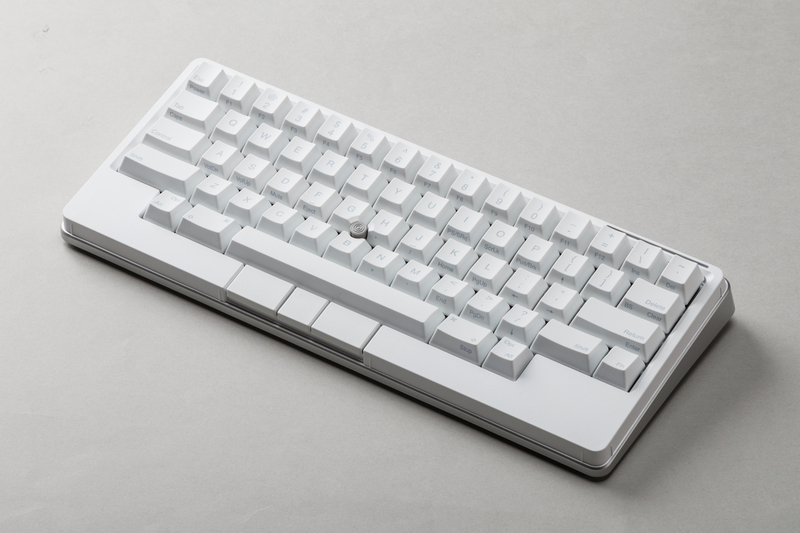
Also a familiar sight, the latest model in the Happy Hacking Keyboard series, "HHKB Studio." The English model does not have cursor keys.
Furthermore, it's equipped with a stick-type pointing device in the center of the keyboard. This allows for an even more advanced experience, eliminating the need to move your hands from the home row when operating the Windows cursor.
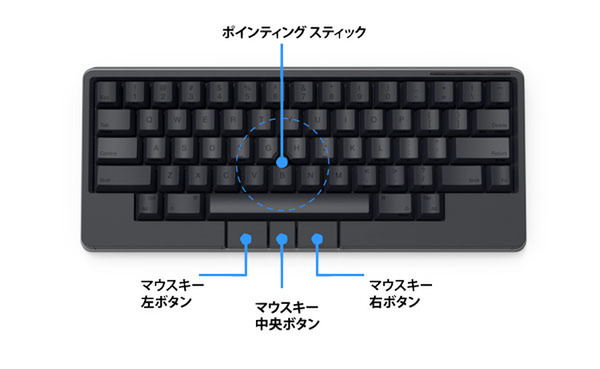
With the integrated pointing device, operations can now be completed with hands remaining on the home row.
The HHKB tradition of a compact style that can be taken to any work site at any time continues. Including its operation with 4 AA batteries, which offer excellent availability and battery life (power supply via USB Type-C is also possible), it is truly a "tool for work." Incidentally, while the English layout lacks cursor keys, the Japanese layout includes them, making it user-friendly even for "regular" users.

PFU キーボード HHKB Studio 日本語配列/墨(ポインティングスティック メカニカルキーボード)
【High-End Keyboard for Work #3】Logicool "Alto Keys K98M" - Trendy "Thocky Sound" with Gasket Mount, Numeric Keypad is a Plus
A current trend in the keyboard world is the "thocky sound" produced when typing. This is achieved through a mechanism called "gasket mount structure," where the PCB and plate supporting the key switches are not directly screwed to the case but are sandwiched by elastic materials like silicone rubber. This allows for a slight give during key presses, suppressing vibrations and typing sounds when keys are struck firmly.
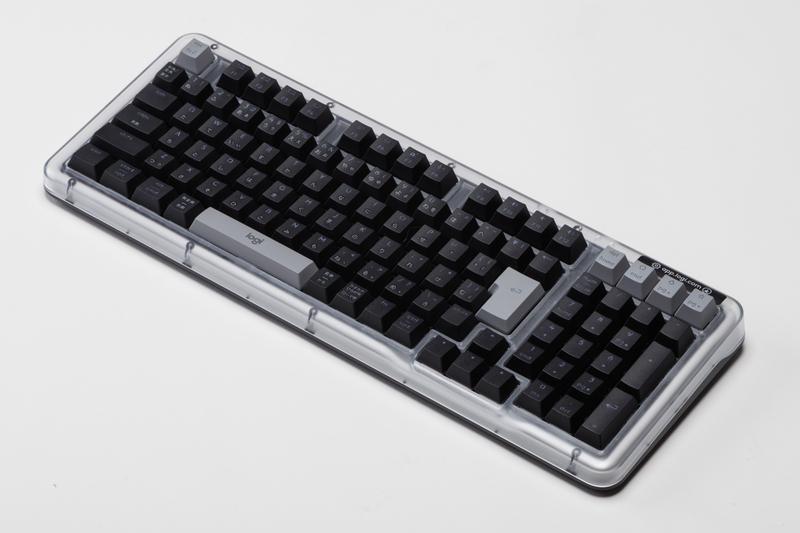
The Logicool "Alto Keys K98M" is also noteworthy for those who want a numeric keypad but also a space-saving keyboard.
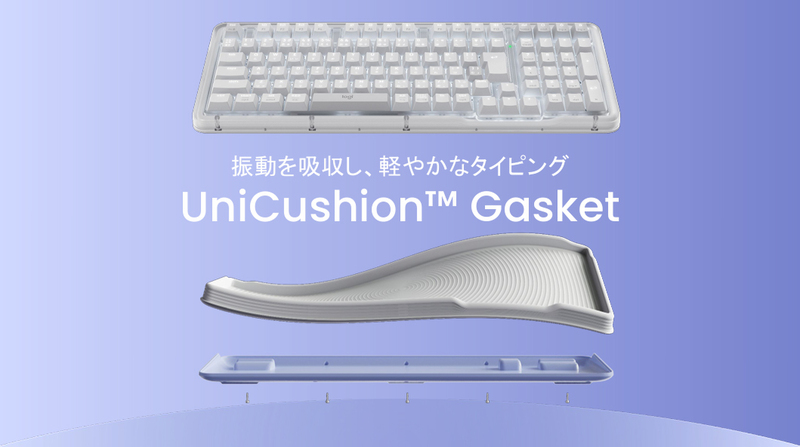
Adopts a "gasket mount structure" that absorbs vibrations and noise associated with typing using soft materials.
The "Alto Keys K98M" is the latest Logicool keyboard to achieve this, featuring an attractive, unique design. It's wireless-only, supporting both Bluetooth and Logicool's "Logi Bolt." The rechargeable battery offers up to 12 months of use (with backlight off), making it suitable for work.
Another welcome feature is its relatively compact width of approximately 40cm, despite having a numeric keypad. With an actual street price of around 17,000 yen, it's relatively affordable and is likely to become a new standard for work keyboards.

ロジクール ガスケット ワイヤレス メカニカルキーボード 日本語配列 Alto Keys K98MGR グラファイト K98M 国内正規品
【High-End Keyboard for Work #4】Topre "REALFORCE R3S" - REALFORCE's Affordable Model, Older Chassis & Wired Still Share Its Appeal
Similar to the R4 introduced earlier, this is an affordable wired model in the REALFORCE series. Although the product itself is from an older generation, it includes features like hardware-level key map remapping and APC (Actuation Point Changer, a function to adjust the key switch activation point). And of course, the key touch is pure REALFORCE.
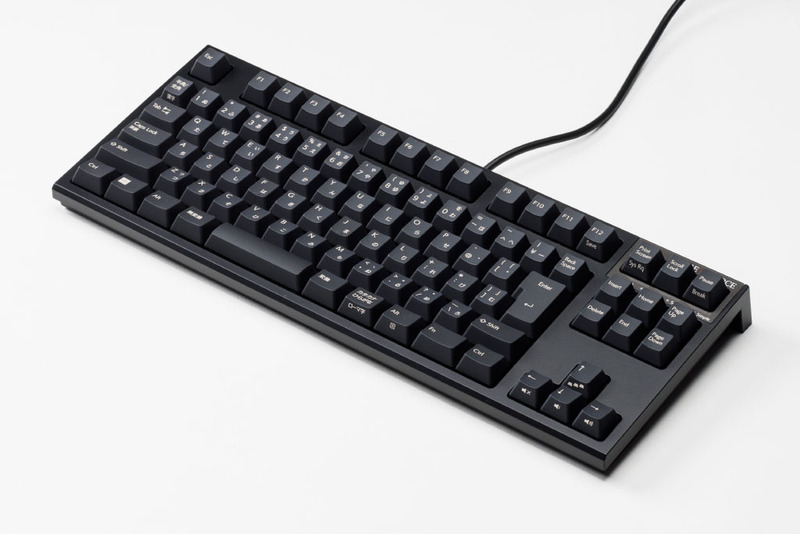
The "R3S," REALFORCE's basic model. Recommended for those who use it with a desktop PC and find a wired connection sufficient.
Like the higher-end models, it offers a rich variety of options including English/Japanese layouts, key weights, and with/without numeric keypads. The actual street price is in the low 20,000 yen range. This product is recommended for users who keep it stationary at home or the office, and for REALFORCE beginners.
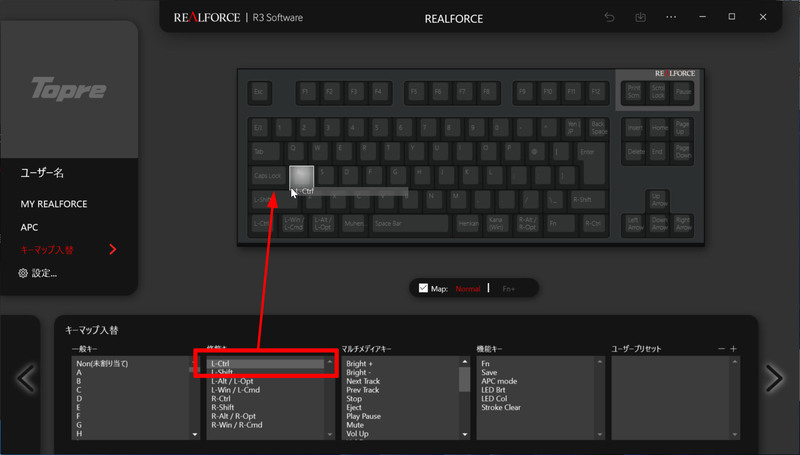
While the chassis itself is shared with older models, the hardware-level key customization feature is a welcome addition.
Also Check Out These Articles on Topre "REALFORCE R3S"!
Affordable Wired, Hardware-Level Key Remapping, and a Shorter Spacebar: The "REALFORCE R3S"
The familiar Topre high-end keyboard "REALFORCE" series has introduced the "REALFORCE R3S," which is based on the second-generation R2 chassis but adds the hardware-level key map remapping feature from the R3.

REALFORCE R3S キーボード 有線 テンキーレス 変荷重 日本語配列 ブラック R3SC12
【High-End Keyboard for Work #5】Keychron "Keychron R3" - Popular Keychron, Retro Style, Highly Customizable
Keychron has become a globally talked-about keyboard manufacturer. It has released numerous JIS layout models in the Japanese market, and its popularity is growing. Among them, the "Keychron R3" is a retro-style model that supports three connection methods—wired, dedicated USB dongle, and Bluetooth—yet has an actual street price of approximately 14,000 yen. It's an excellent value product, becoming even more affordable during sales periods.
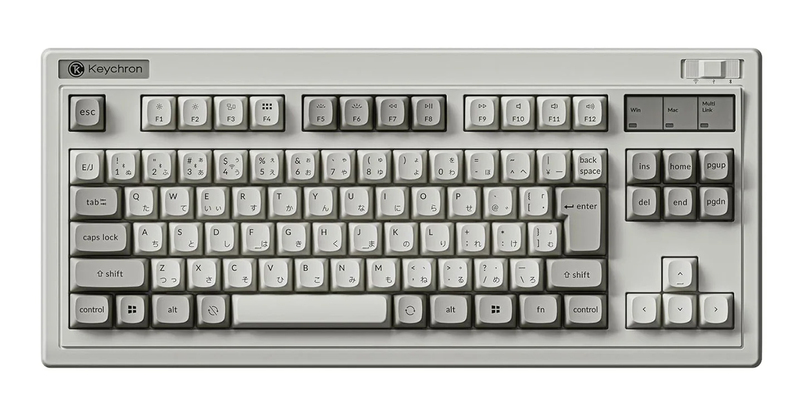
The "Keychron R3" packages Keychron's basic mechanical keyboard in a retro style. It's an affordable option supporting both wired and wireless connections!
The key switches are the company's mechanical type, with options for silent linear "Red switches," tactile "Brown switches," and even more tactile "Banana switches." It supports "hot-swapping," allowing you to replace key switches with your favorites, and customization is free, including hardware-level layout changes using a web app. It's perfect as a first step into the "keyboard swamp."