A Wi-Fi router is essentially a necessity if you have a fiber optic internet connection at home and want to connect not only your PCs and smartphones but also internet-enabled TVs and other devices. For apartment dwellers and typical family use, even inexpensive products under 10,000 yen are often sufficient!
However, with numerous products from various manufacturers, deciding which one to buy can be a challenge. Therefore, this time, we'll focus on Wi-Fi routers under 10,000 yen, outlining key selection points and introducing the editorial team's top 5 recommended products. Please use this as a reference when making your purchase.
Key Selection Points for Wi-Fi Routers Under ¥10,000 (1) [Communication Speed] - Actually, Not Much Difference
While these are inexpensive Wi-Fi routers under 10,000 yen, most support either the latest standard 'Wi-Fi 7' or the previous generation 'Wi-Fi 6'. Wi-Fi 6 compatible models offer communication speeds of up to 1201Mbps or 2402Mbps, while Wi-Fi 7 compatible models support up to 2882Mbps.
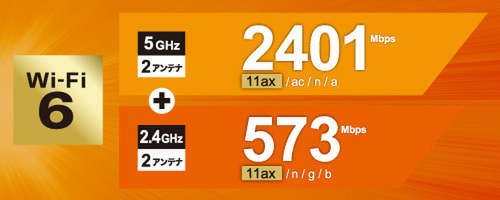
For Wi-Fi 6 compatible products, inexpensive models typically support up to 1201Mbps, while slightly pricier ones often use twice the frequency to support speeds up to 2402Mbps.
While this might suggest a significant speed difference, even the most affordable 1201Mbps products can achieve speeds of several hundred Mbps in an apartment of up to three rooms, which is perfectly adequate when combined with a 1 Gigabit fiber optic line. You'll likely feel almost no speed difference when watching videos or browsing websites. Differences are usually limited to situations involving large file downloads (especially games).
Key Selection Points for Wi-Fi Routers Under ¥10,000 (2) [Mesh Support] - Important for Larger Apartments or Detached Houses
When it comes to Wi-Fi router features, 'mesh' compatibility is particularly worth checking.
Mesh functionality involves installing multiple Wi-Fi routers in your home to create a single, large network (mesh = net). For example, if you live in a three-story house, installing a mesh-compatible router on each floor will ensure that the signal reaches every corner of each floor, significantly boosting communication speeds. And you can use it without needing to change any settings on your PC or smartphone.
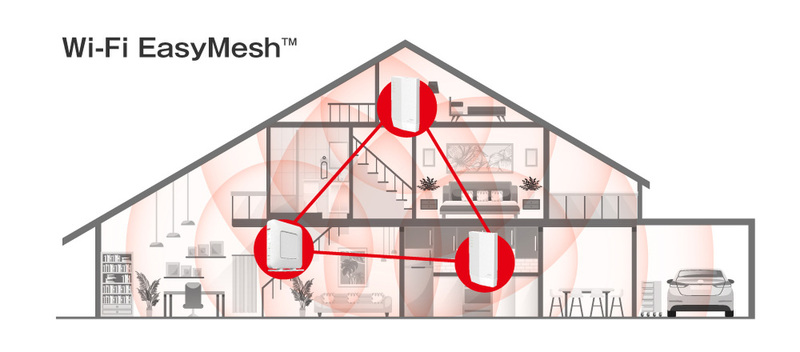
Mesh functionality allows Wi-Fi routers to communicate with each other, covering the entire house and reducing dead zones or areas with slow communication speeds.
Mesh functionality comes in two main types: the industry standard 'EasyMesh' and proprietary manufacturer standards. Recently, the former has become more common.
Key Selection Points for Wi-Fi Routers Under ¥10,000 (3) [Smartphone App] - Quite Important for Easier Setup
While some setup is always required when using a Wi-Fi router, an increasing number of products support smartphone operation, making the process much easier. Furthermore, many products offer not only connection settings but also features like limiting usage time for PCs and tablets used by children, or blocking inappropriate content.
On the next page, we'll introduce the editorial team's top 5 recommended Wi-Fi routers under 10,000 yen!
[Wi-Fi Router Under ¥10,000 #1] Buffalo "AirStation WSR-3000AX4L" - A Classic Model Under ¥10,000, Fully Functional and Satisfying
Buffalo's latest standard model, a company that has led Wi-Fi product development in Japan since the dawn of wireless LAN. With a street price of just under 10,000 yen, it's affordable, yet offers Wi-Fi 6 support and a maximum speed of 2402Mbps on the 5GHz band, providing satisfactory performance for this price range. It should be a top contender if you're looking for an inexpensive router.
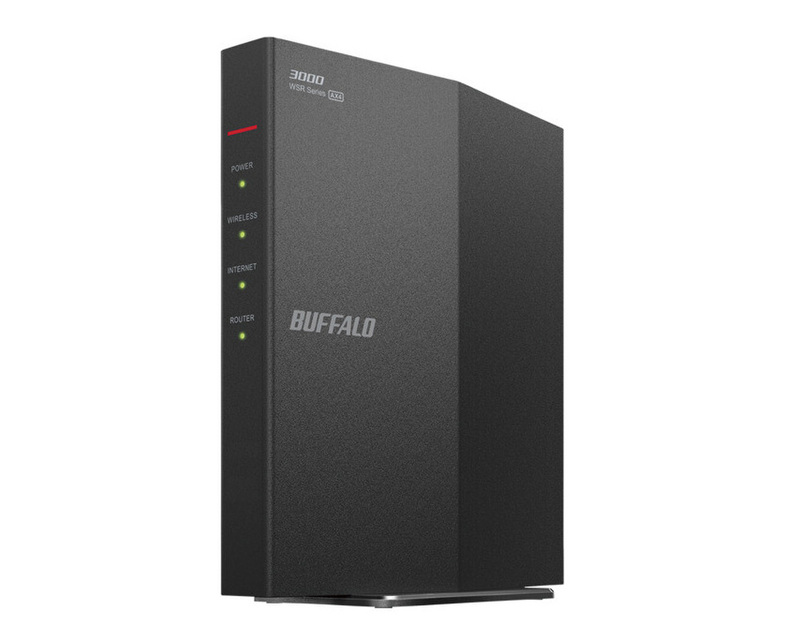
Buffalo "AirStation WSR-3000AX4L"
It's also feature-rich, with automatic switching between the 5GHz and 2.4GHz bands (which have different signal propagation characteristics), EasyMesh compatibility, and support for major Japanese fiber optic internet services. Its compact size (40×148×133mm) and simple appearance, without protruding antennas, are also a plus, making it less likely to be seen as an eyesore by family members.
Note that the wired LAN ports are limited to GbE, so it might feel underpowered when combined with fiber optic lines faster than 1Gbps, but for other cases, it's perfectly fine.
[Wi-Fi Router Under ¥10,000 #2] TP-Link "Archer AX1800" - TP-Link If You Prioritize Price! Feature-Rich for Around ¥6,000
If you're aiming for a low-cost Wi-Fi router, TP-Link products are definitely strong contenders. It offers standard features and performance for a Wi-Fi 6 compatible model, with a maximum of 1201Mbps on the 5GHz band, 574Mbps on the 2.4GHz band, EasyMesh compatibility, and smartphone app control, all for a street price of around 6,000 yen. Despite being a product from an overseas manufacturer, it supports major Japanese fiber optic lines, and for apartment living, you'll likely have no complaints if you choose it based on price.
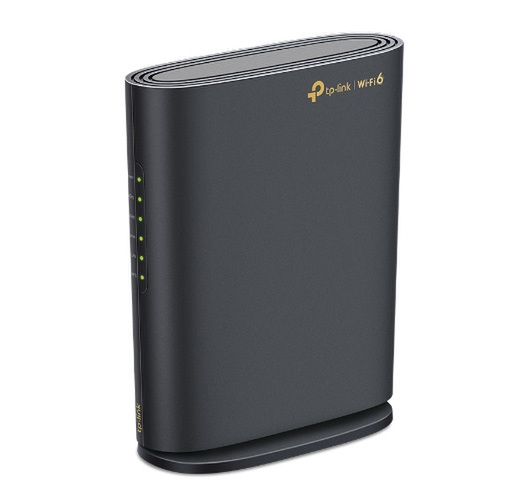
TP-Link "Archer AX1800"
[Wi-Fi Router Under ¥10,000 #3] TP-Link "Archer BE3600" - Wi-Fi 7 Compatible for Around ¥10,000! Mesh Also Available
Some might assume that Wi-Fi 7 compatible products would be much more expensive, but TP-Link's "Archer BE3600" has a street price of approximately 10,000 yen. Despite the price, it boasts a maximum speed of 2882Mbps on the 5GHz band and comes equipped with all essential features, including support for domestic fiber optic lines.
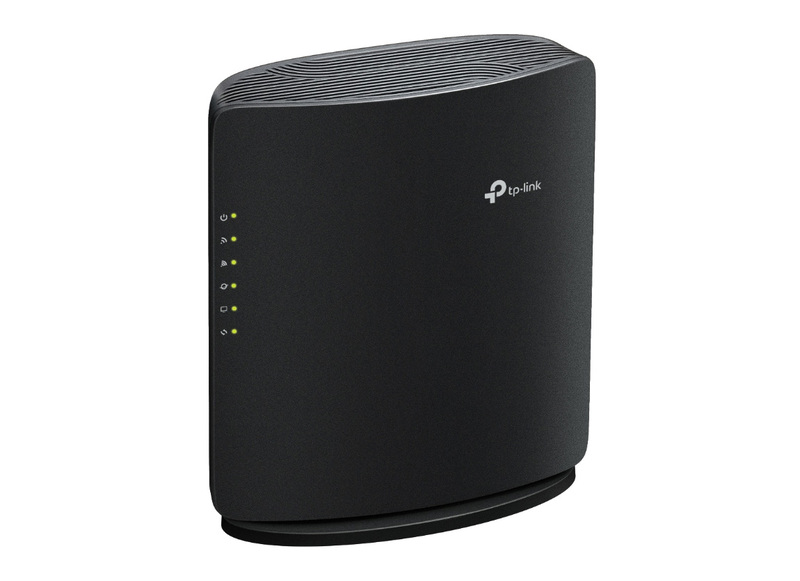
TP-Link "Archer BE3600"
Wi-Fi 7 features a function called MLO, which allows simultaneous use of two frequencies. This not only improves speed but also enhances communication stability when paired with Wi-Fi 7 compatible smartphones and laptops.
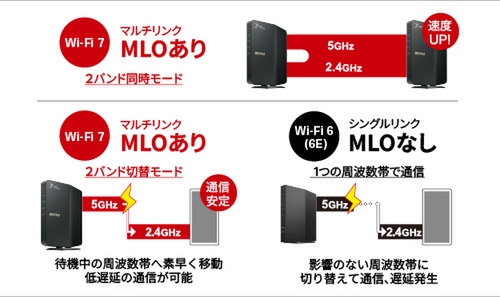
MLO is a distinctive feature available on Wi-Fi 7 devices, utilizing two frequencies with different characteristics simultaneously.
Mesh functionality is also EasyMesh compatible, and settings can be configured via a dedicated smartphone app. However, the wired LAN is limited to GbE, so it might not fully leverage the speed of fiber optic lines faster than 1Gbps.
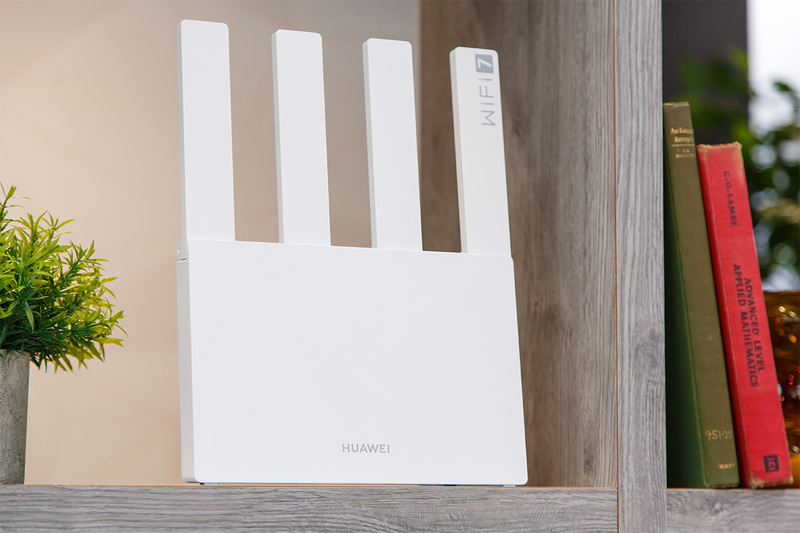
[Wi-Fi Router Under ¥10,000 #4] Huawei "HUAWEI WiFi BE3" - Wi-Fi 7 & 2.5GbE Wired LAN for Under ¥9,000!
Huawei, known in Japan for its smartwatches and earphones, also sells inexpensive Wi-Fi routers. Notably, the "HUAWEI WiFi BE3" is affordable at a street price of just under 9,000 yen, yet it supports Wi-Fi 7 and features 2.5GbE wired LAN ports, allowing for expected communication speeds that can exceed 1Gbps when paired with faster fiber optic lines.
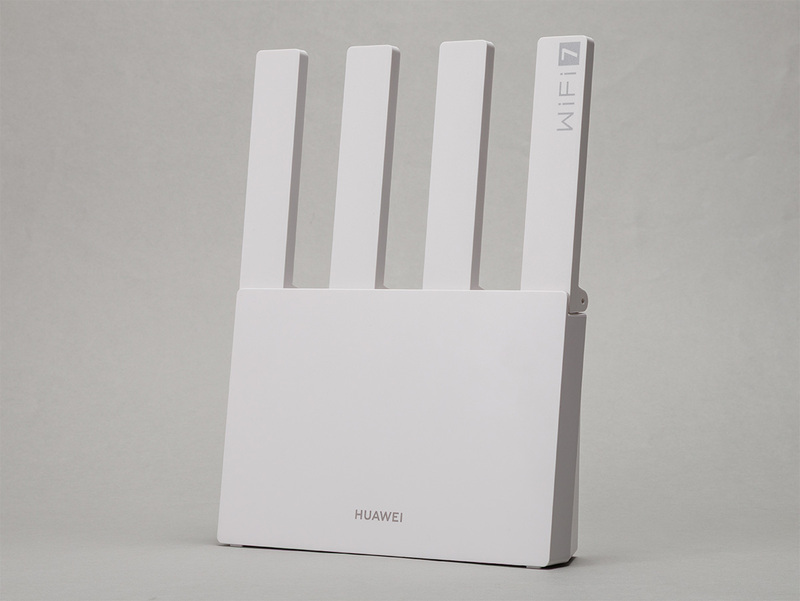
Huawei "HUAWEI WiFi BE3"
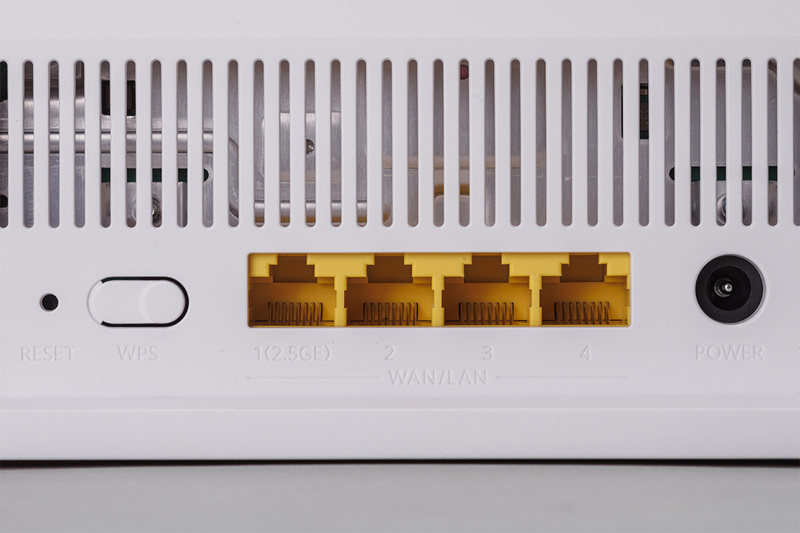
Equipped with 2.5GbE wired LAN ports, it enables Wi-Fi communication speeds exceeding 1Gbps.
On the other hand, Wi-Fi routers are products where localization to Japan's unique network conditions is crucial. The HUAWEI WiFi BE3 supports IPoE (with automatic configuration), which is essential for FLET'S lines, and also offers a bridge mode for use when combined with a gateway with router functionality.
However, its mesh functionality is based on Huawei's proprietary specifications. While the ability to connect routers via Ethernet is a strength, it's designed for use with other Huawei devices. This point requires caution.
[Wi-Fi Router Under ¥10,000 #5] Elecom "WRC-W701-B" - Fewer Features but Affordable, How to View Non-Mesh Support?
This Elecom "WRC-W701-B" is an inexpensive (street price around 10,000 yen) product from a Japanese manufacturer that supports Wi-Fi 7 for wireless LAN and 2.5GbE for wired LAN. It's well-equipped with basic performance as a low-cost router. The 2.5Gbps wired LAN support is a particularly welcome feature.
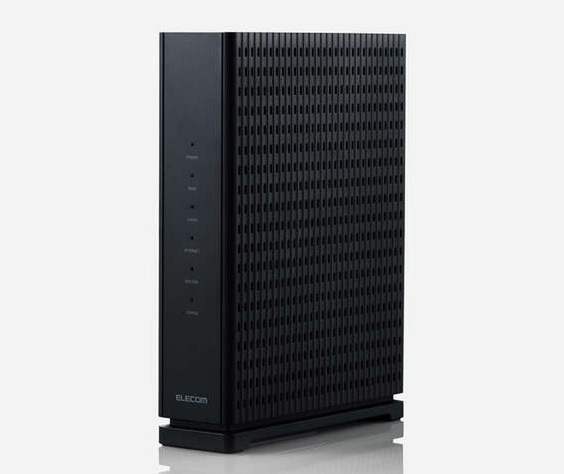
Elecom "WRC-W701-B"
On the other hand, it does not support mesh functionality at all. However, if mesh functionality isn't necessary for apartment use, then it shouldn't be an issue.